iMCM
The Interalia Multi-site Content Manager runs music on hold, overhead paging and recorded announcements for every iProMOH-V5 you own — from one server, in one browser window.
Organise sites in folders, set content and schedules once at the global, regional or local level, and every player picks up its changes the next time it checks in. No truck rolls, no USB sticks, and no need to rebuild the same schedule for each location. One licence covers an unlimited number of players, with no ongoing fees.
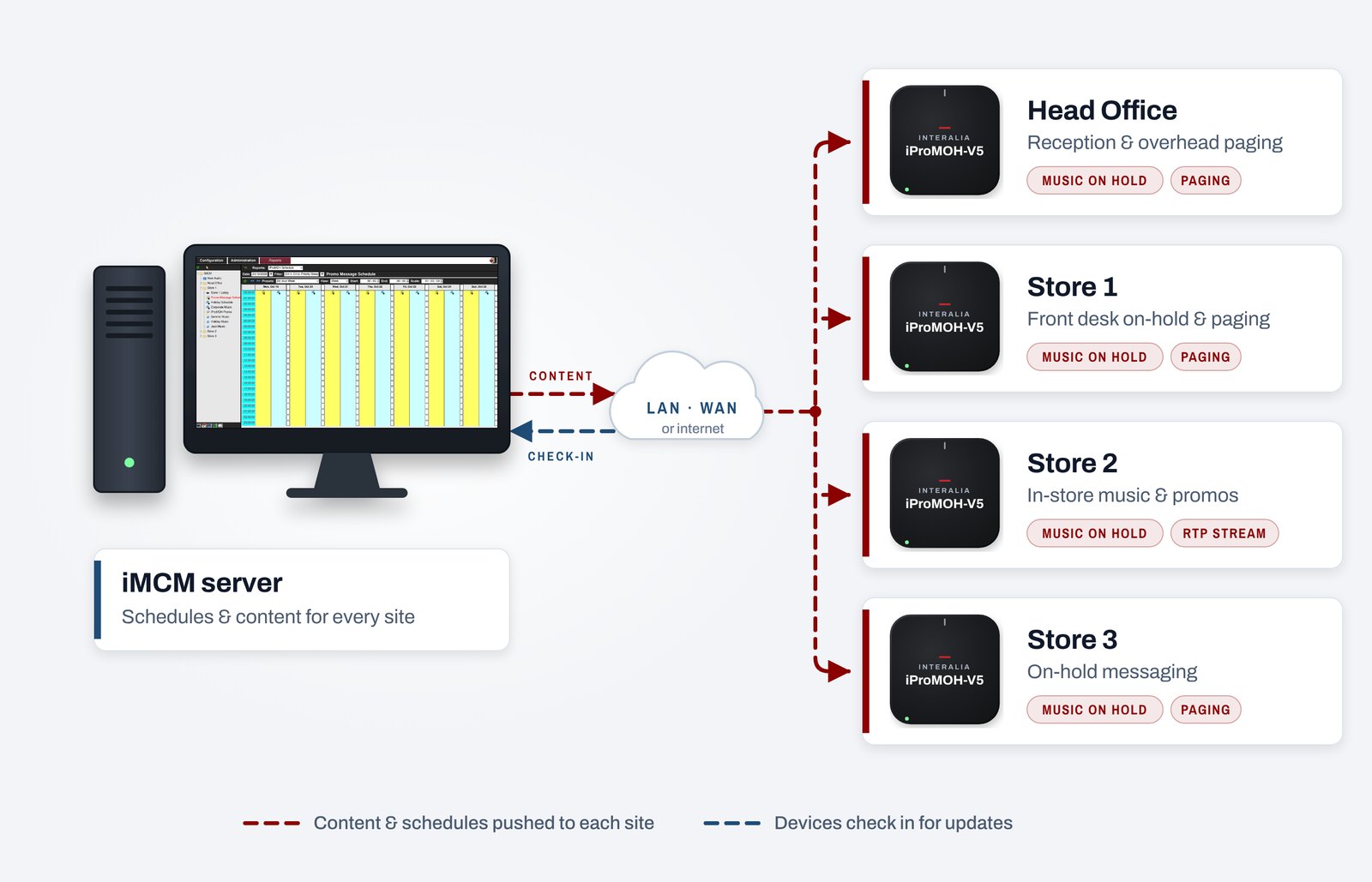
One platform, unlimited locations.
Centralised, by folder
A folder tree like Windows Explorer holds every site and player. Apply content and schedules to a global, regional or local folder and every player below it inherits them.
Time & date scheduling
Set what plays on each channel by date range, time of day and day of week — recurring or one-off — with different schedules per site and across time zones.
Priority messages
Override scheduled content at one site or across the whole network with a priority message — for promotions, closures or emergency notices.
Update one, some or all
Push content and firmware to a single player, a group or every site at once. Copy and paste schedules, groups or whole configurations instead of rebuilding them.
Player check-in and status
Each player calls home on an interval you set. See its last check-in, IP address, firmware version and stored audio, adjust channel volumes, or request a reset remotely.
Reports, users and logs
Weekly schedule reports show exactly what each player will play. Give each user secure web access to their own folders, upload audio in bulk, and keep an activity log with notifications.
Every site, in one browser window.
Sites, players, schedules and audio sit in one tree on the left. Pick anything in it to edit it on the right.
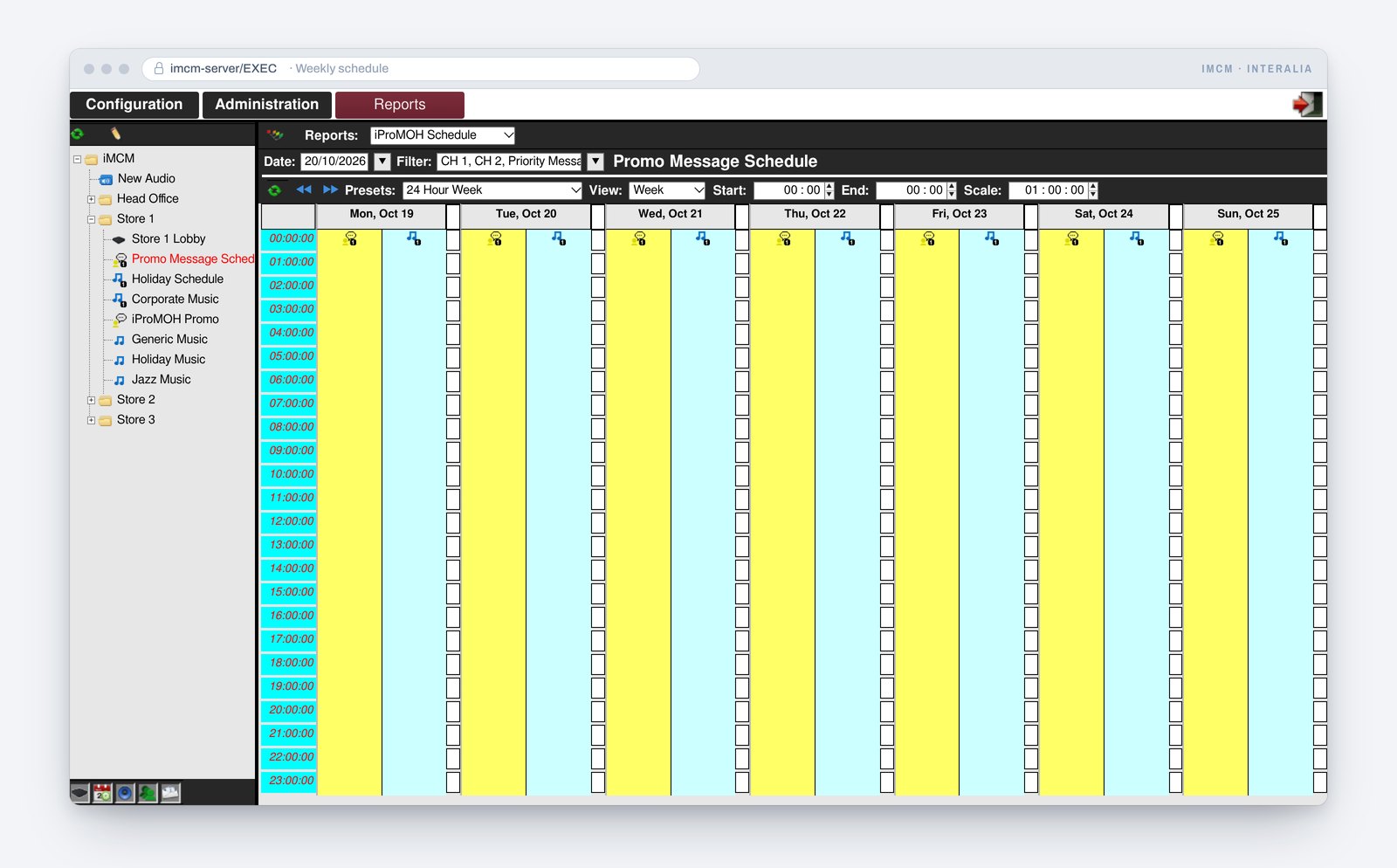
Weekly schedule
See, hour by hour, what each channel of a player will play this week before it goes live.
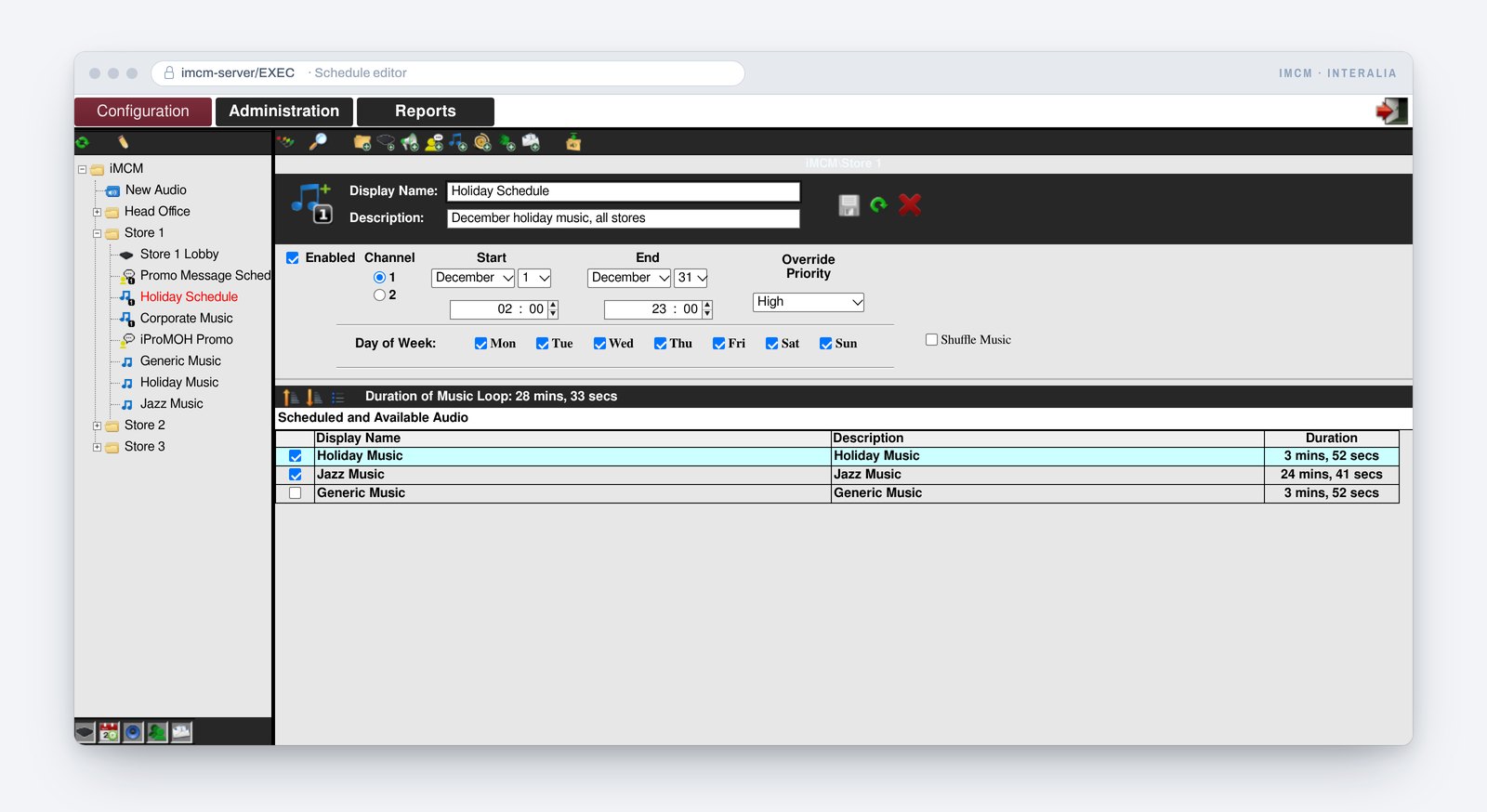
Schedule editor
Choose the channel, dates, times, days and override priority, then tick the audio to play.
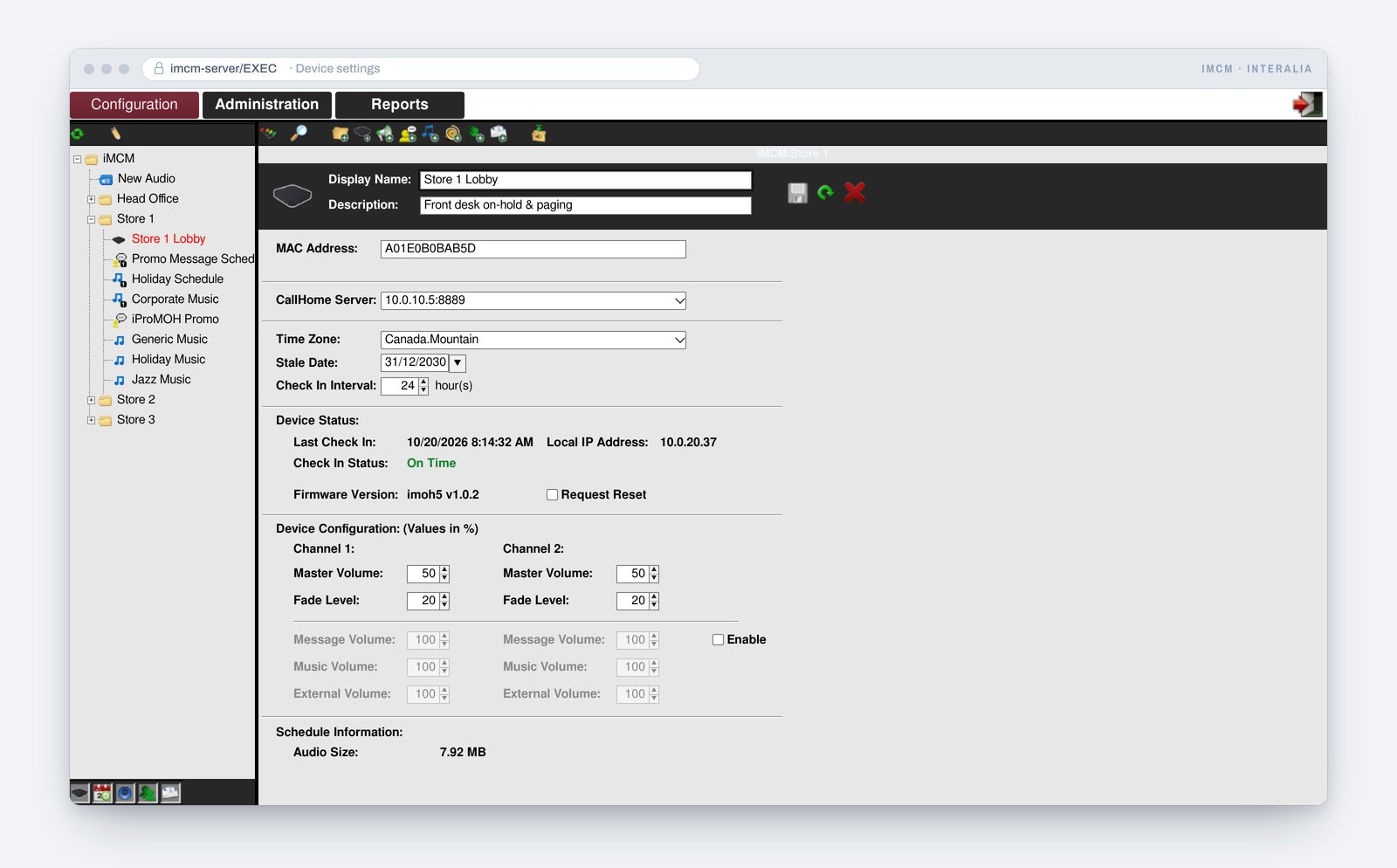
Player settings
Check-in status, firmware and volumes for each iProMOH-V5, with a remote reset when you need one.
Where iMCM makes the difference.
Retail chains
Push branded music and promotional messaging to every store on a schedule tied to your marketing calendar. Update content remotely in minutes, no truck roll required.
Hotel groups
Manage on-hold audio, lobby paging and scheduling across all properties from a single server. Different schedules per property, priority overrides available at any time.
Healthcare networks
Schedule calm, appropriate hold music and patient information across all lines and locations. Priority announcements for emergency broadcast across the entire network.
The whole sheet, on the page.
Everything you need to plan a multi-site deployment.
Music licensing: in North America it is illegal to play commercial music — radio, CD or satellite — on hold without a licence from SOCAN (Canada), or ASCAP, BMI or SESAC (USA). Make sure any content you distribute through iMCM is licensed for the use.
How to order iMCM
iMCM is a one-time licence for the server software (P/N 41400) — no per-player fees and no ongoing licence costs, however many iProMOH-V5 units you manage. Tell us how many sites you have and we will quote the licence and the players you need.
Need the players? See the iProMOH-V5. Running a single site? See Simple Audio Mixer.
Announcement and messaging hardware, designed and built in Canada since 1975.
Vernon, BC V1H 2K54786 1st Ave South, Suite 102
Seattle, WA 981341-800-661-9406